THOUGHT BOX
Catch a thought.See where it goes.
A line you read. A thought on a walk. Something you don't want to lose. Keep it close, meet it again, and make something of it.
Explore the demo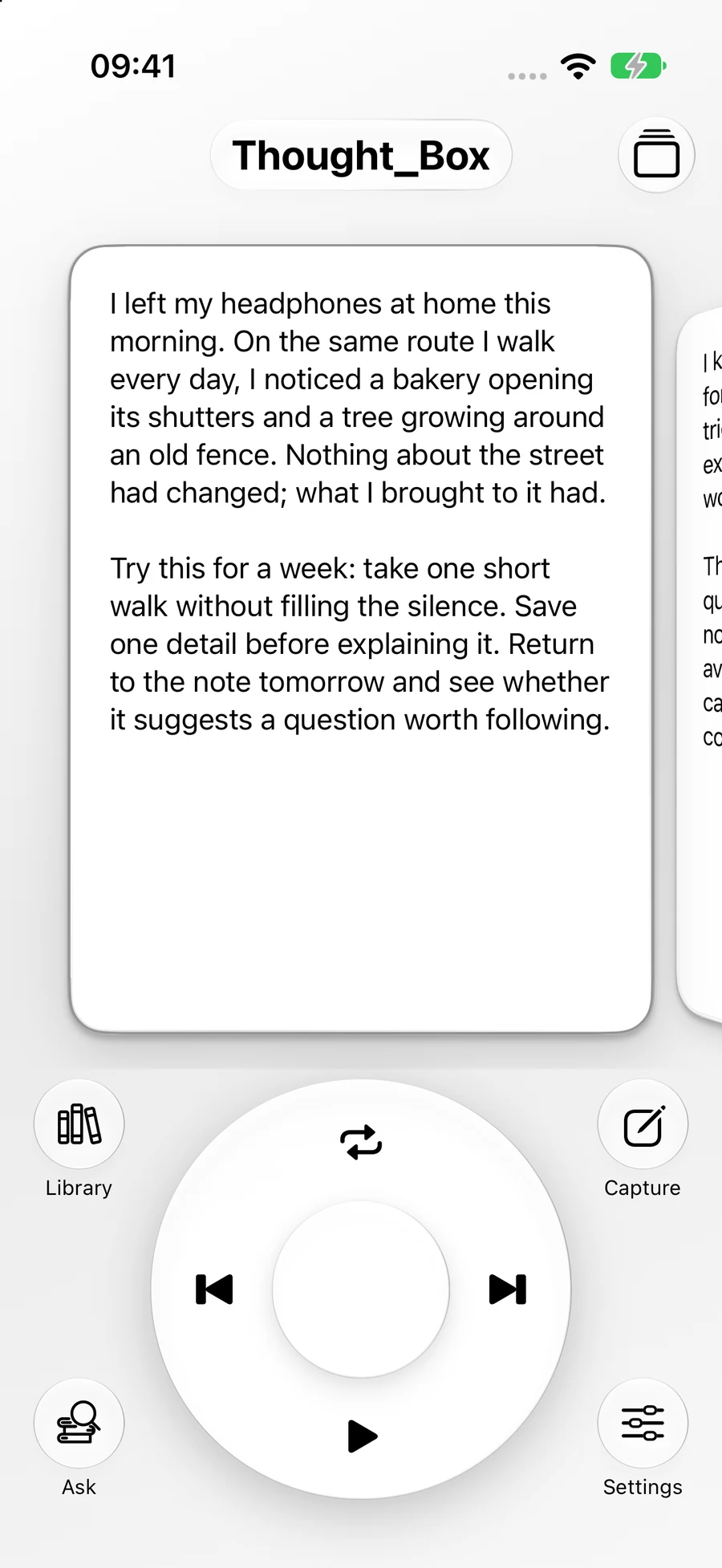
01 / CAPTURE
Ideas arrive in all kinds of ways.
Give them somewhere to land. Capture the words, images, and moments that stay with you, with the original source close by.
A sentence, a question, a thought still taking shape.
 Thought BoxSample record
A thought from the morning walk
A small experiment in paying attention.
Close when a thought arrives.
In the app
Open Thought Box and start a capture.
Action button
Assign the capture Shortcut on a supported iPhone.
Back Tap
Set a double or triple tap to run the capture Shortcut.
Widget
Start a capture from your Home Screen.
On iOS 26 and later, the capture Shortcut can open an interactive snippet. Action button and Back Tap need a one-time setup.
Set up a quick capture
First, create a Shortcut named “Capture Thought Box” and add the app’s Quick Capture action.
- Action button: Settings → Action Button → Shortcut → Capture Thought Box.
- Back Tap: Settings → Accessibility → Touch → Back Tap → choose a double or triple tap → Capture Thought Box.
02 / REDISCOVER
A good thought deserves another turn.
Move through your library with an iPod-inspired wheel and Cover Flow. Let an old note catch your eye at a new moment.
Turn the wheel. Follow your curiosity.
Thought BoxA reading note becomes useful when it invites a response.Leave a question beside the quote
03 / THINK DEEPER
From a passing idea to a point of view.
Stay with one record, or ask a question that reaches across your library. Find the connections worth thinking through.
Explore a record in conversation. Follow a question, consider another perspective, or test an idea against a thoughtful challenge.
Find related records, read the connections, and follow cited passages back to what you saved.
Your notes suggest starting with a specific detail before explaining it. The morning walk makes that possible by removing one source of input; the workshop turns the detail into a question and a small test. The reading experiment adds a useful check: return tomorrow and look for a changed decision or conversation. Together, these notes describe a cycle of noticing, questioning and revisiting. They do not establish that silence works for everyone.
Explore the source passages
Related records · Sample record
Illustrative demo with sample records and a prewritten conversation. No live AI request is made.
See it in Thought Box
Recorded in the iPhone Air simulator
Fictional records · Guided demonstrations
YOUR KEY. YOUR CHOICE.
Your thoughts. Your choice of AI.
Bring your own API key to use Inspired Talk and AI-assisted library questions. Capture and local search work without a key.
API keys are stored in your device's Keychain and do not sync. With a provider connected, automatic tagging and AI conversations send relevant record text and context to that provider. Its data policy applies.
A few things to know
Can I bring in my Apple Notes?
Yes. Share an individual note to Thought Box. For a folder, set up a Shortcut using Find Notes, Repeat with Each, and Save to Thought Box. The app cannot browse your Notes folders on its own.
Do I need an AI subscription or API key?
You can capture, browse, rediscover, and search locally without a key. AI features use your own supported provider's API key; that provider's usage charges apply.
Where do my records go?
Markdown records and original files live in your iCloud Documents when available, with local storage as a fallback. Text recognition and local search run on-device. Voice uses on-device recognition when supported; otherwise Apple's speech service may process audio with permission. AI features send text and context to your chosen provider, not original media files.
When can I try Thought Box?
Thought Box is coming soon. This site previews the current app with sample content. Download details will appear here when it is available.
The next thought is yours.
Explore the demoComing soon